How to use erayyapagci/balbal-v1 with NeMo:
import nemo.collections.asr as nemo_asr
asr_model = nemo_asr.models.ASRModel.from_pretrained("erayyapagci/balbal-v1")

transcriptions = asr_model.transcribe(["file.wav"])
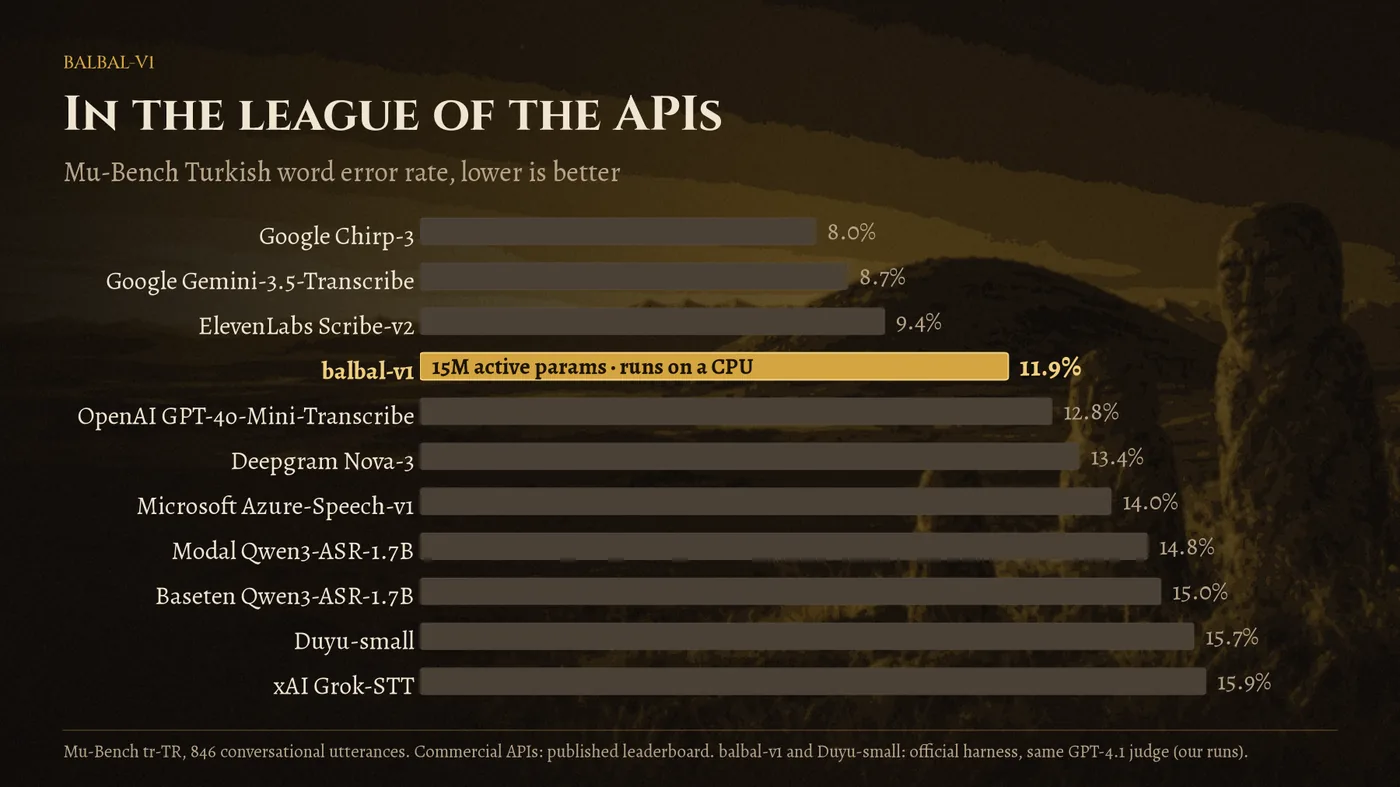
https://huggingface.co/erayyapagci/balbal-v1/resolve/main/assets/mubench-vs-apis.webp
hf download hf://erayyapagci/balbal-v1/assets/mubench-vs-apis.webp
curl -L -o mubench-vs-apis.webp https://huggingface.co/erayyapagci/balbal-v1/resolve/main/assets/mubench-vs-apis.webp